• Skip to main content
  • Skip to footer

eSAIL

Engineering Studio for Advanced Instruction & Learning

  • Home
  • Faculty Services
    • Course Design
    • Canvas Support
    • Digital Accessibility Resources
    • Faculty Learning
    • YuJa Lecture Capture Resources
    • Helpful Tools
  • Faculty Learning
    • Faculty Learning
    • Online Teaching Tips
    • Digital Accessibility Resources
    • Accessibility Series
    • Tutorials
    • Online Courses
    • Live Workshops
    • Webinars
    • Frequently Asked Questions (FAQ)
  • Contact
    • Contact Us
    • About Our Team
    • eSAIL’s Research Activities
    • Physical Location
    • Subscribe to our Newsletter
    • Website Feedback
Home » Faculty Services » Helpful Tools

Helpful Tools

Helpful tools.

Here are some helpful tools you can use to help you build high-quality online courses. The College of Engineering provides free access to some of these tools, such as the Self-Service Portal, YuJa, and Camtasia. Others may require an additional fee.

If you don’t see what you need here, please email us at eSAIL@tamu.edu.

Page Contents

  • YuJa Lecture Capture
  • Camtasia
  • Self-Service Portal
  • TAMU Network Speed Test
  • Zachry Classrooms
    • Start Here
    • For the Built-in Computer
    • For Your Own Device
  • Need Something Else?

YuJa Lecture Capture

YuJa is the College of Engineering’s centralized lecture capture and video management platform. It allows you to easily record lectures, manage video media, and embed accessible video content directly into your Canvas courses. All automated classroom recordings are also stored here securely.

For step-by-step instructions on setting up your account, publishing to course channels, and managing captions, see our dedicated YuJa Lecture Capture Resources page.


Camtasia

Camtasia Overview. Opens new tab.

Camtasia is an all-in-one screen recorder and video editor. You can record your screen, add video effects and transitions, and more. Camtasia makes it simple to record and create professional-looking videos on Windows and Mac.

You can install Camtasia using Engineering’s Self-Service Portal on college-owned devices. Camtasia and SnagIt (screen capture software) are also currently available for $25 at Texas A&M’s Software Center.

We’ve written a couple of Camtasia tutorials:

  • Recording with Camtasia
  • Camtasia Editing Basics

Self-Service Portal

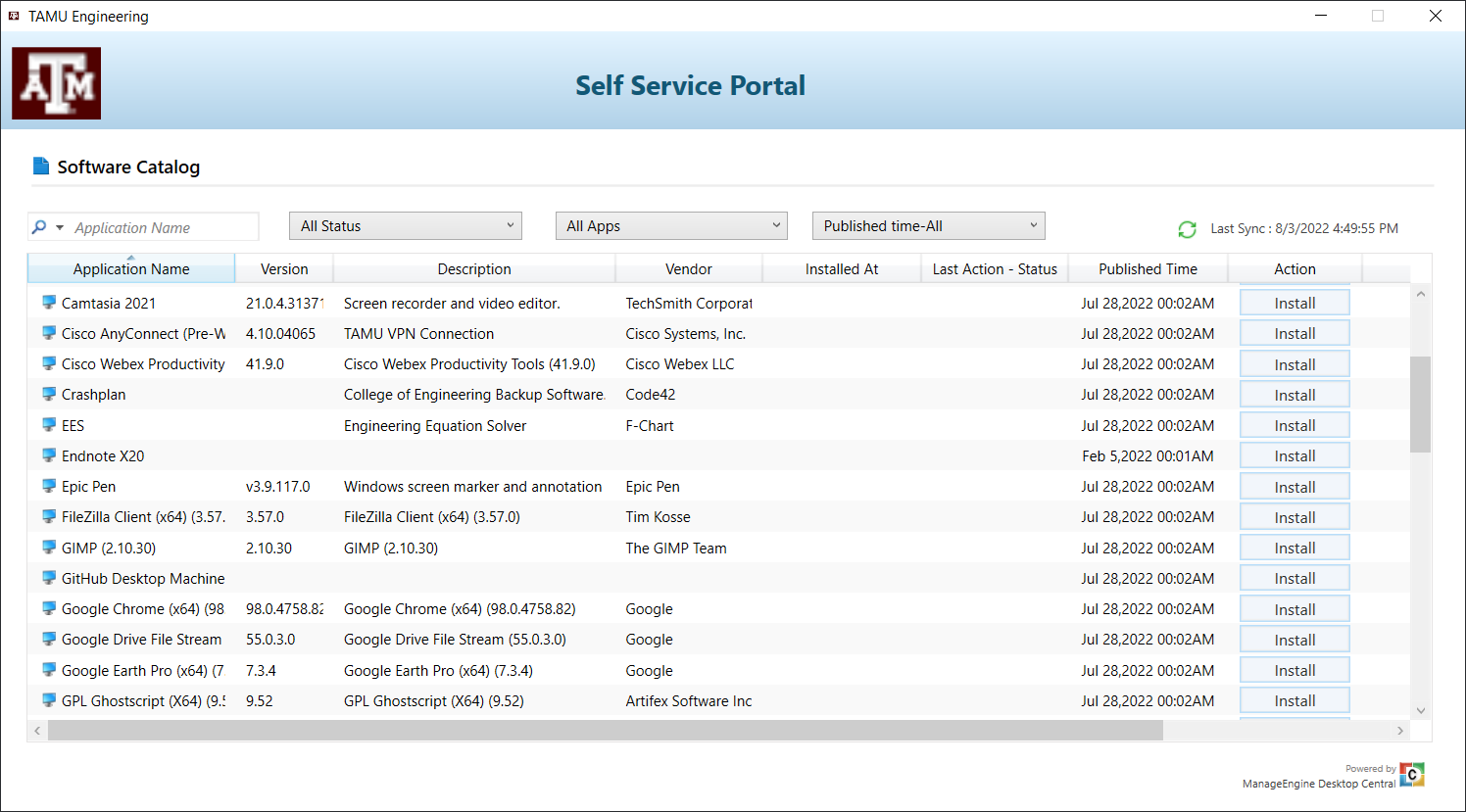
The Self-Service Portal tool includes installs for white-listed programs you can install without assistance from Engineering IT.

The Self-Service portal allows you to install pre-approved software packages without needing to contact Engineering IT.

Note: The Self-Service Portal is only available on college-owned devices.

  • Windows Self-Service Portal (1.5 min.)
  • Mac Self-Service Portal (1 min.)

TAMU Network Speed Test

Faculty, staff, and students can check their connection to Texas A&M campus.

Follow this tutorial to see your ping rate, download speed, and upload speed with Texas A&M.

  • Using Network Speed Test to test your connection to Texas A&M

Zachry Classrooms

Start Here:

This tutorial walks you through how to start the system in a Zachry learning studio and some basic settings. This should not replace the Zachry Faculty training.

Zachry Learning Studio – Quick Start

For the Built-in Computer:

  • Using the Built-in Computer (TAMU PC)
  • Annotating in the Learning Studio

For Your Own Device:

  • Using Your Laptop (Device)
  • Annotating in the Learning Studio (Wacom Display)
  • Simple Wireless Sharing

Need Something Else?

Didn’t find what you’re looking for? Please email us at eSAIL@tamu.edu with questions.

Texas A&M University Engineering

Footer

About Our Team

Our team is comprised of individuals with development, video producing, accessibility, writing, and learning/teaching expertise – all ready to partner with faculty...
Meet eSAIL Team Members!

Contact

Online Course & Yuja Support
eSAIL@tamu.edu
We'd love to hear from you!
Contact Us

Quick Links

  • Site Map
  • Website Feedback
  • Submit Website Issue
  • State Links & Policies

Site Search & Subscribe

Get tips each quarter to make each semester more successful than the last!
Subscribe to our Newsletter

© 2026 · Texas A&M University · All Rights Reserved · Log in